
How to setup Facebook Pixel
Facebook allows tracking events using Facebook Pixel technique, to create a Facebook pixel follow this guide:
- Go to Events Manager.
- Click on green button with a plus called Connect Data Sources and select Web.
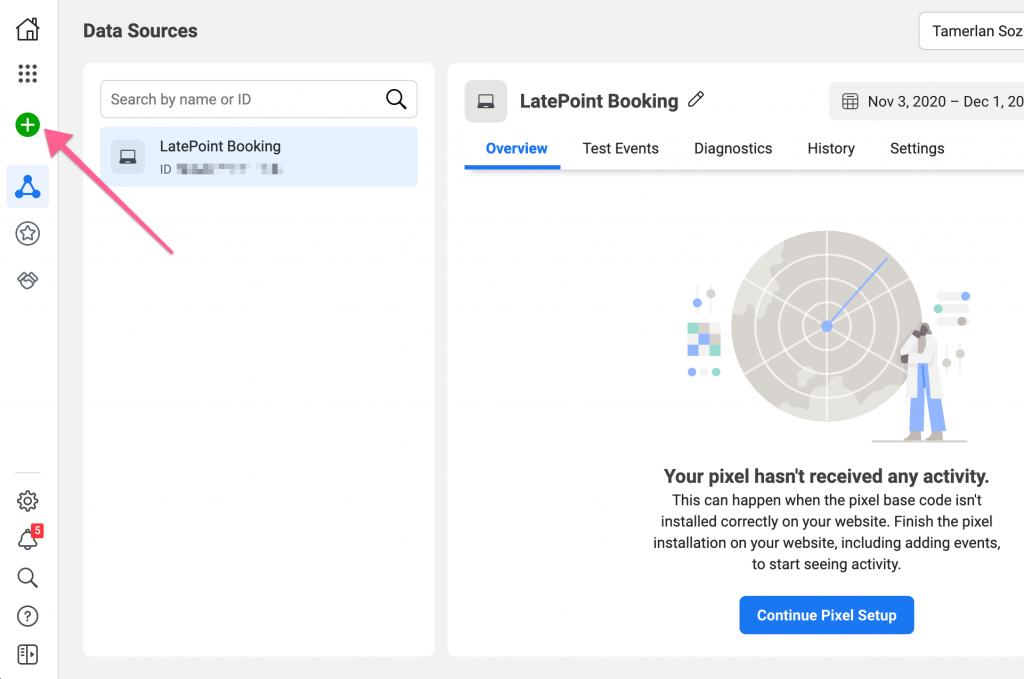
- Select Facebook Pixel and click Connect.
- Add your Pixel Name.
- Enter your website URL to check for easy setup options.
- Click Continue.
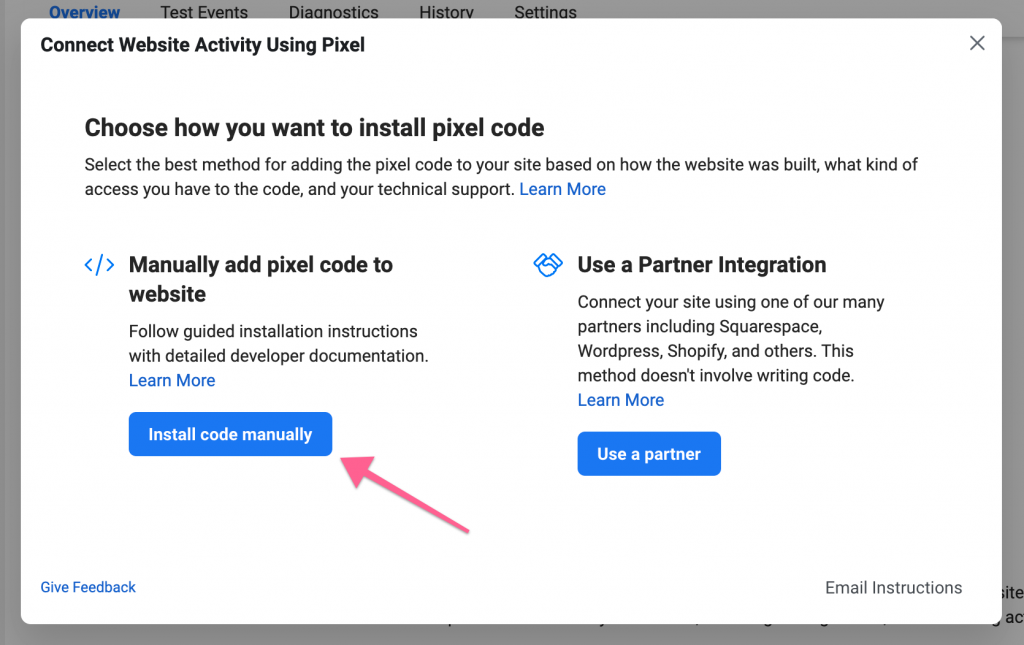
- Select Manually add pixel to website option
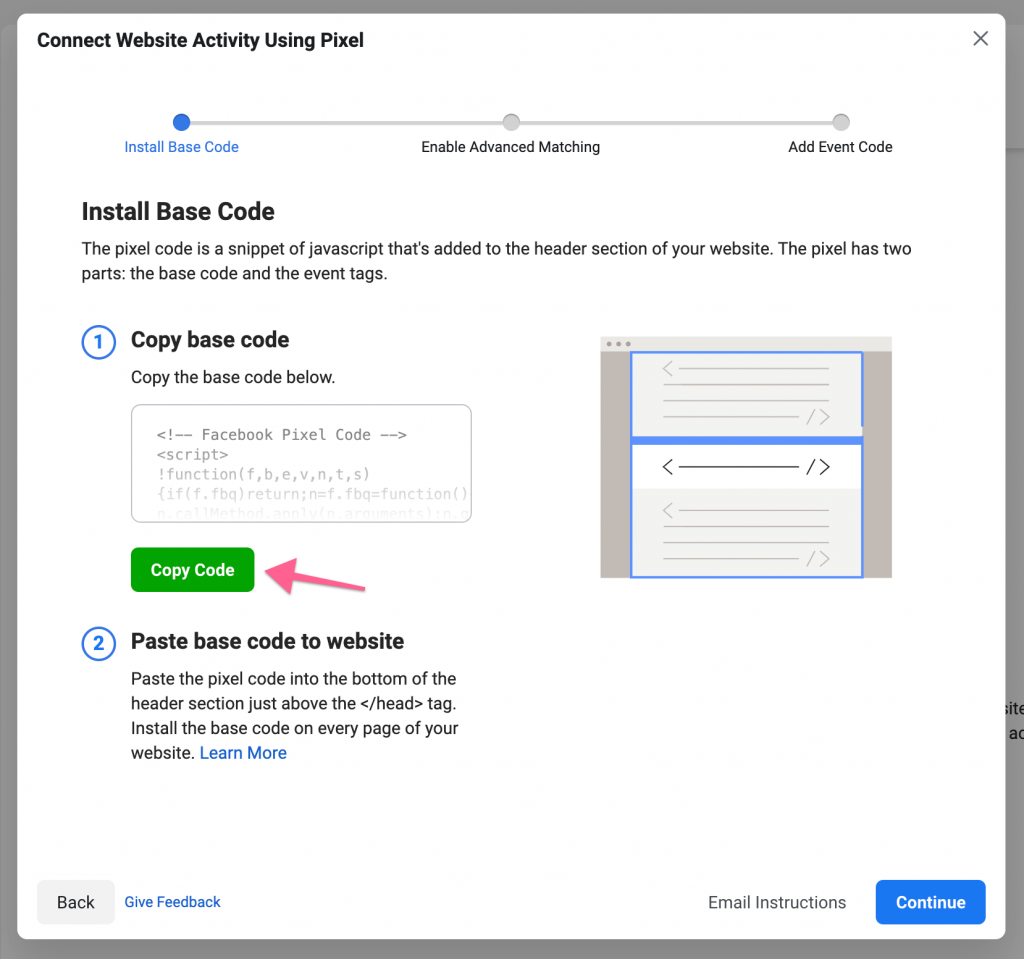
- Facebook will generate a code for you, click on a Copy Code button
- Paste the code into the tracking code field in LatePoint:
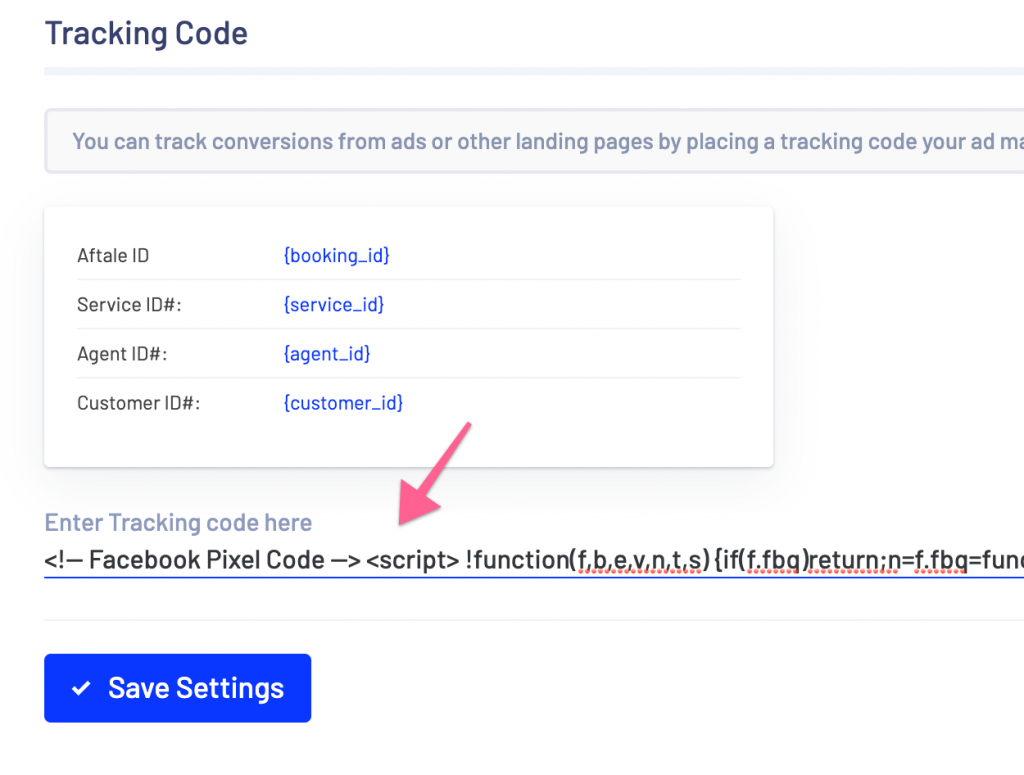
- Now your bookings will trigger Facebook pixel events.
Was this doc helpful?
What went wrong?
We don't respond to the article feedback, we use it to improve our support content.
On this page