
How to edit content of notification emails and SMS
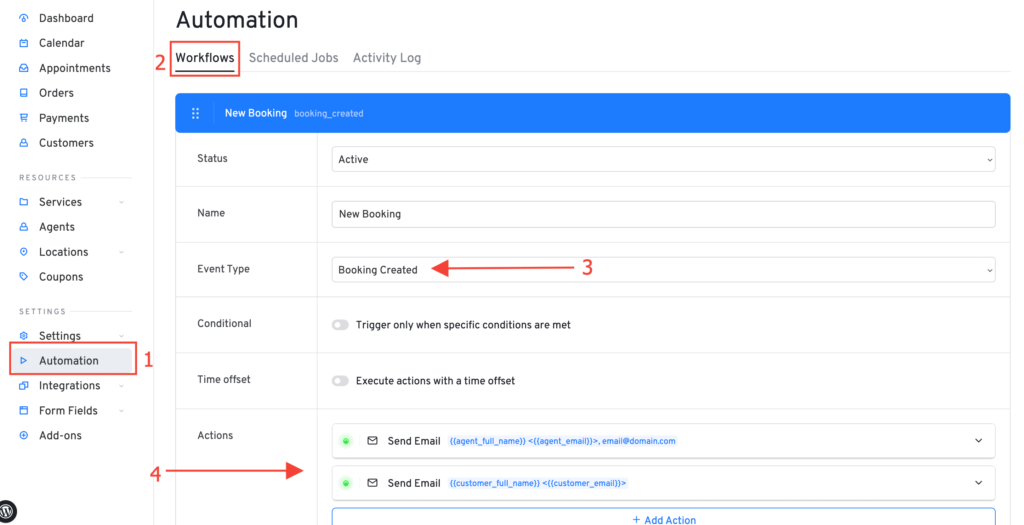
We are using a powerful process automation feature to send notifications to customers and agents when a certain event occurs. To manage which actions are being triggered when a certain event occurs you have to go to Automation > Workflows page in Latepoint admin and click the event you want to customize:
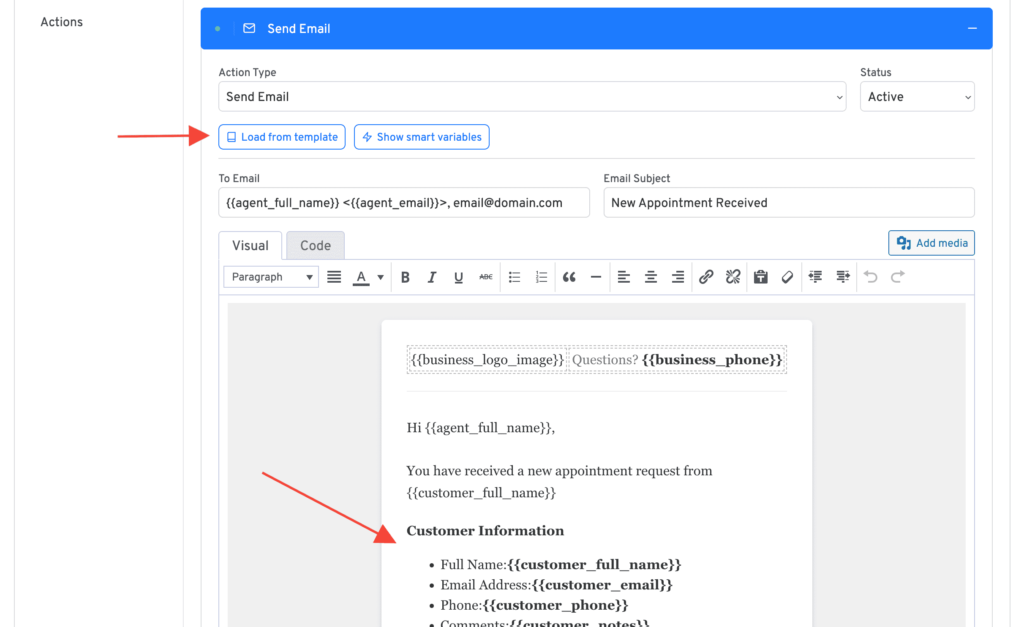
To edit action contents, just click on the action box, you can modify or load contents from an existing template:
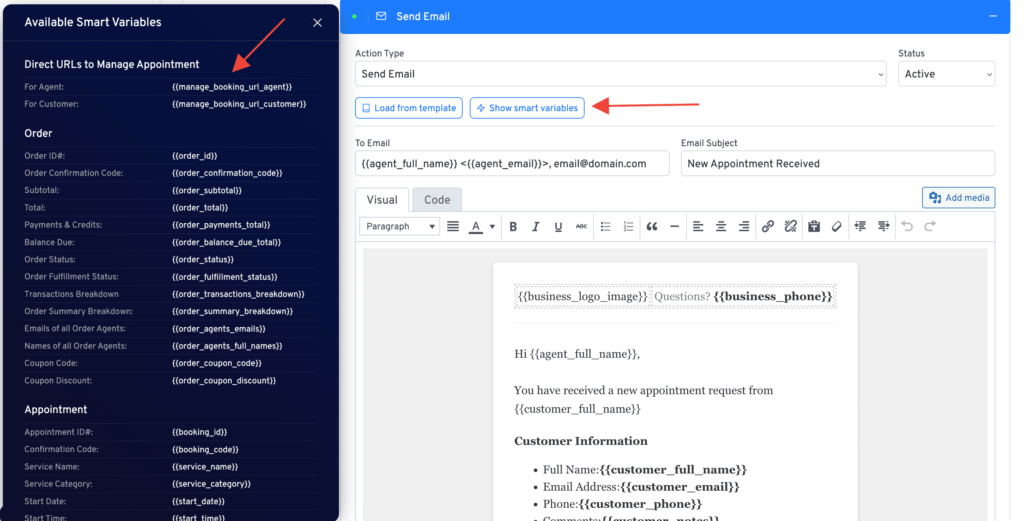
To see all available variables that you can use inside of actions, click on show smart variables button:
Was this doc helpful?
What went wrong?
We don't respond to the article feedback, we use it to improve our support content.
On this page