
Service categories not showing during booking process
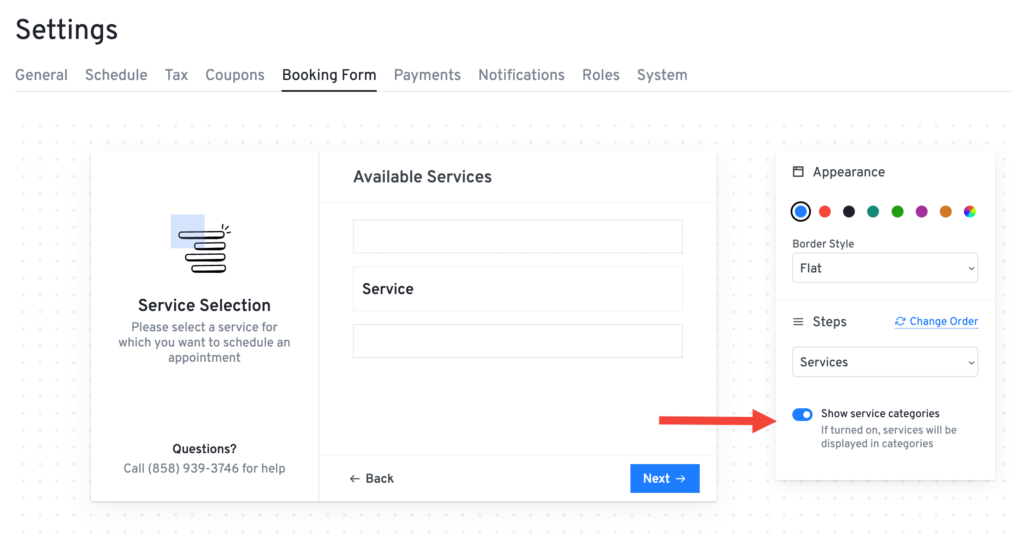
To enable the service categories step in the booking form, navigate to Settings > Booking Form and enable on the Show Service Categories toggle. This setting allows service categories to appear as a step during the booking process.
Was this doc helpful?
What went wrong?
We don't respond to the article feedback, we use it to improve our support content.
On this page