
Setup webhook for Stripe payment notification
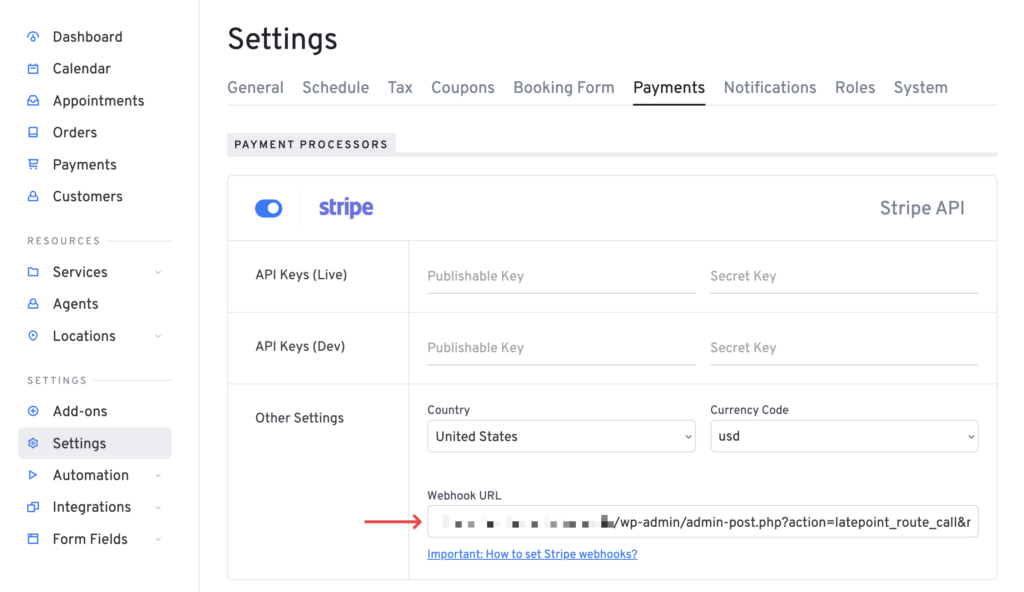
In order for Stripe to notify your server of successful payment you have to add your webhook URL that you can copy in Latepoint -> Settings -> Payments -> Stripe into your Stripe dashboard.
- Copy your Webhook URL from Stripe settings in LatePoint:
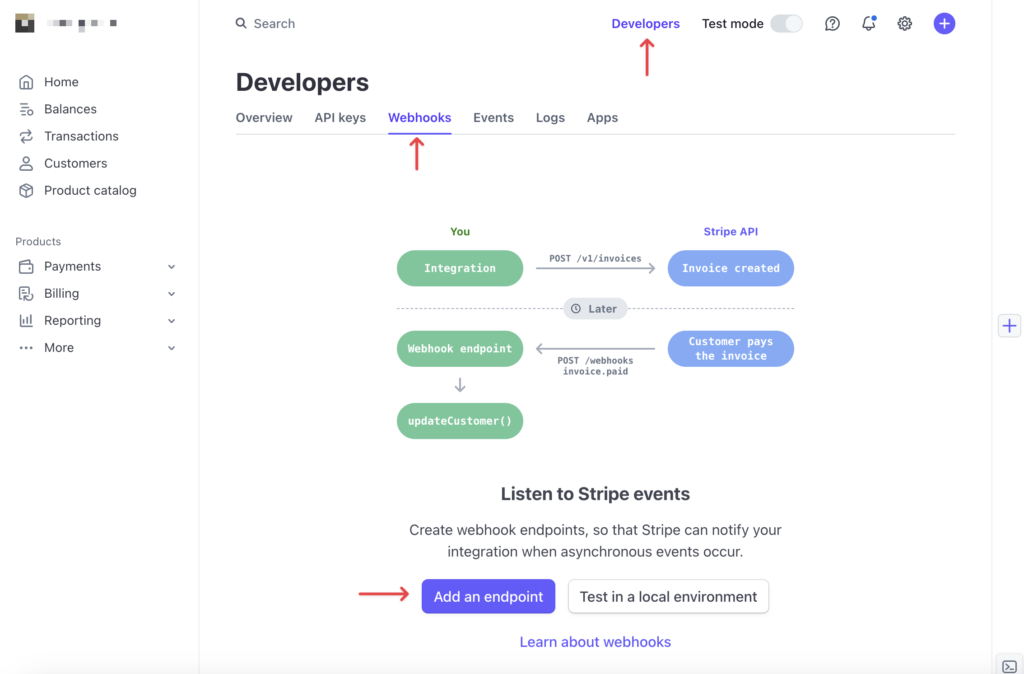
2. Add an endpoint in your “Webhooks” page of Developers settings in Stripe:
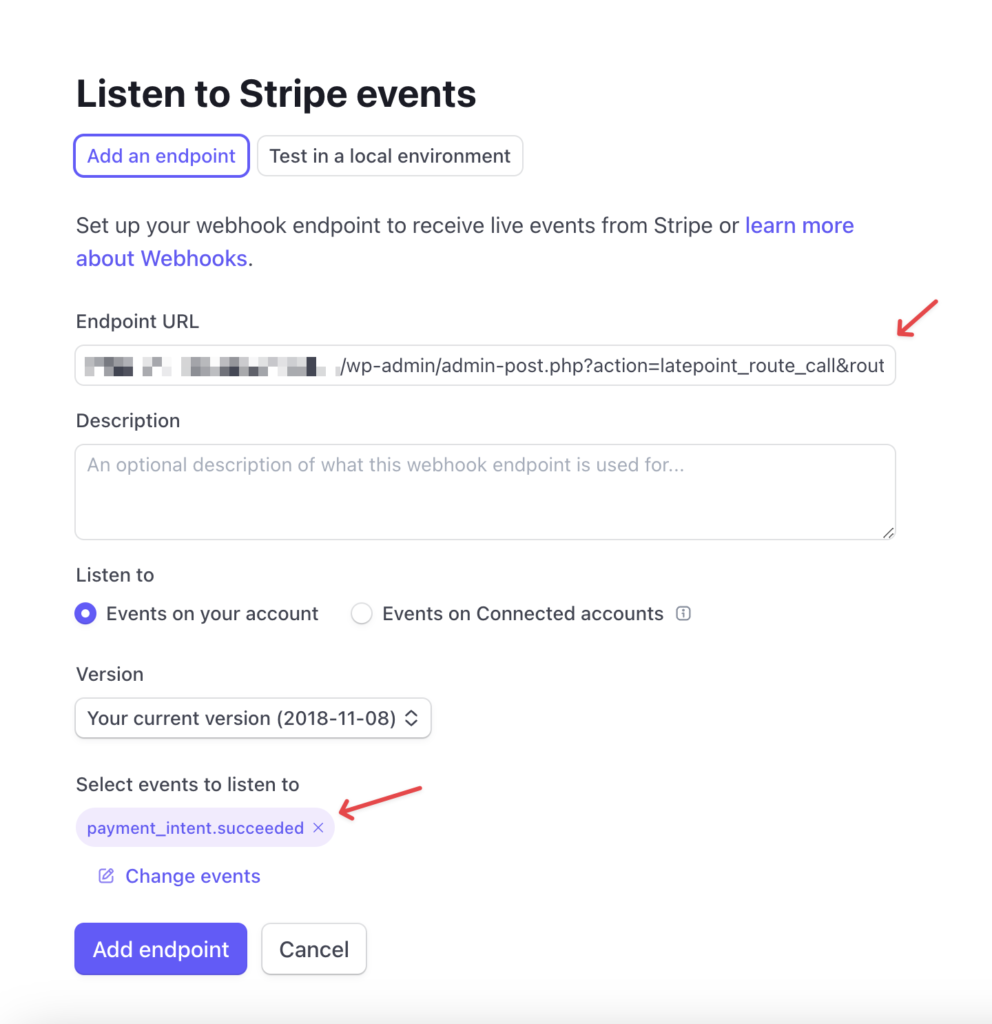
3. Paste the url that you copied before into Endpoint URL field, and search for “payment_intent.succeeded” for events to listen to:
Was this doc helpful?
What went wrong?
We don't respond to the article feedback, we use it to improve our support content.
On this page